
Stella Sora combat combines control of the Main Trekker with Main Skills, Support Skills, dodging and Ultimates. Start by keeping the target inside your skills’ effective area and using buffs before the attacks they improve. There is no single rotation or Ultimate rule that applies to every Trekker.
Core combat explanation from launch-era written controls guidance and original creator examples. Button labels and input bindings can differ by client. Character-specific examples are historical, rather than a test of the anniversary build.
Sources checked:
On this page
Learn the actions by their labels
Actions to identify in the combat interface
Scroll the table sideways on a narrow screen.
| Action | What to learn first | Important distinction |
|---|---|---|
| Movement | On mobile, use the virtual joystick to position the Main Trekker. | Movement changes whether a target remains inside a skill area; it is not only travel between attacks. |
| Dodge | Recognize the dodge action separately from the Main Skill. | A character-specific animation cancel is not a universal dodge timing or guaranteed safe window. |
| Main Skill and normal attacks | Read which damage type the build enhances and which action triggers it. | An auto-attack buff and a Skill damage buff are different effects. |
| Support Skills | Identify each partner’s contribution and the target or area it needs. | A Support can enable the team or deal important damage; rarity does not decide cast order. |
| Ultimate | Check the character’s conditions and what the cast interrupts or delays. | A cinematic or available Ultimate is not automatically the best action at that moment. |
Use the bindings shown by your client rather than copying mobile button positions onto PC. This guide identifies the actions; it does not assert a default keyboard or controller layout. Choose the Main and Support positions for the build before the encounter instead of treating every character as the same on-field job.
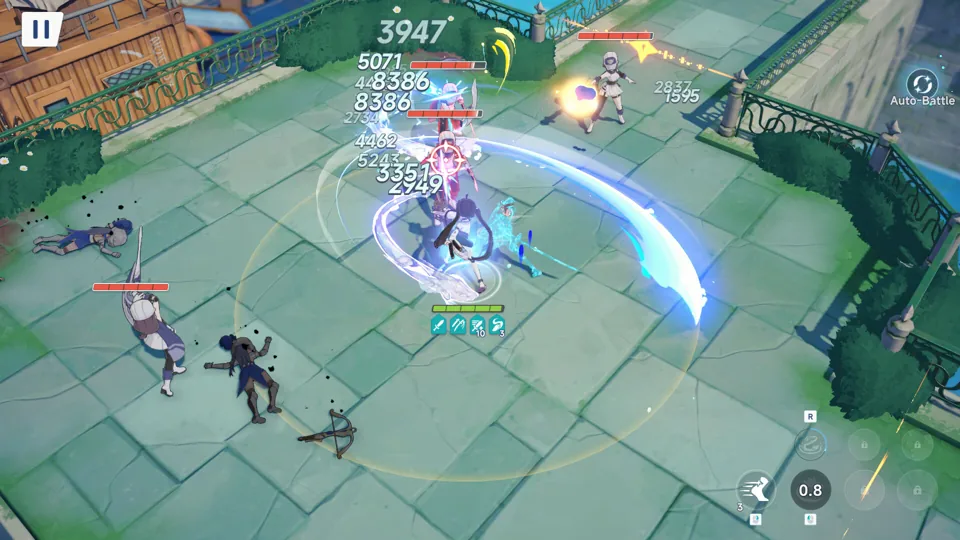
Place the buff where the enemy will be
The launch-era controls guide describes ground circles and lines warning of incoming attacks. Read the actual encounter’s telegraph and move before committing to a long action; the color or shape is not a universal timing measurement for every boss.
Positioning also affects damage. Maygii’s original Chitose analysis notes that Teresa and Iris place skills on a fixed target area. Casting immediately before a boss moves can waste their useful uptime. Wait for a suitable position, place the supporting effects, then use the attacks they are meant to improve.
Fix the specific failed interaction
- If a buff contributes little, check its element and damage-type wording against the action your carry is using.
- If a support effect misses, check target movement and skill placement before replacing the character or farming more levels.
- If an Ultimate disrupts the loop, read that character’s build conditions. Maygii’s early single-target Chitose analysis found her long Ultimate cast could lose damage; that conclusion is specific to the analysed build, not a ban on Ultimates.
- If a cancel is part of a build, follow that character’s documented sequence. The historical Chitose auto-attack route uses skill or dodge cancels; it does not establish identical combos for Karin, Fuyuka or another Trekker.
After changing a rotation, judge the result against the encounter’s actual objective. A higher saved Record score does not show that a missed skill, a moving target or an interrupted buff has been fixed.
The Chitose Auto Attack reference gives the source-limited recipe behind that example.
Sources & scope
These notes organize the sources below. Creator observations belong to their authors; this site has not performed the gameplay tests. A source check is separate from a game update or publication date.
Browse this guide category · All guides